Last updated: October 13, 2026
Key Takeaways
- Bing puts access first, then clarity, then consistency.
- Slow crawls, wrong status codes, and redirect traps call for technical fixes first.
- Compare submitted URLs, crawled URLs, and indexed URLs to spot Bing indexation gaps.
- Bing values clear titles, matching headings, visible copy, and strong internal context.
Quick Answer: A solid Bing SEO audit checklist usually finds 3 priority areas—technical access, indexation, and on-page relevance—plus a handful of template-level fixes.
A Bing SEO audit checks the three things Bing needs most: crawlable pages, clear relevance, and clean indexation. Bingbot cannot fetch your pages, cannot understand the page topics, or is choosing the wrong URLs to index, rankings stall no matter how good the content looks to a human. This Bing SEO audit checklist for technical, on-page, and indexation issues keeps those priorities in order. No detours.
What Bing actually cares about first
Bing cares first about access, then clarity, then consistency. A page blocked, thin on signals, or duplicated across multiple URLs should get fixed before an hour goes into rewriting titles. Bing’s own webmaster guidance still points to crawlability, XML sitemaps, proper status codes, and clean metadata as core signals, and that lines up with what I’d put at the top of any audit. For a practical reference, Bing Webmaster Guidelines and the Bing Webmaster Tools documentation both emphasize crawl access and indexability.
Need the shortest possible checklist? Start here:
- Confirm the site is reachable in Bing Webmaster Tools.
- Check whether important pages return 200, not 3xx, 4xx, or 5xx.
- Inspect
robots.txtand meta robots tags for accidental blocks. - Compare submitted URLs to indexed URLs.
- Review titles, H1s, canonicals, and internal links for mismatch.
- Look for duplicate or near-duplicate pages that confuse indexation.
A small site, under about 100 pages, can be audited manually with Bing Webmaster Tools, a crawler like Screaming Frog, and a spreadsheet. Bigger sites need a crawl export; otherwise, patterns slip through like water through a sieve.
Quick check: Bing sees the page but does not rank it? You are in on-page territory. Bing does not see it? You are in technical and indexation territory.
Bing SEO audit checklist for technical issues
When pages crawl slowly, return the wrong status codes, or get trapped behind messy redirects, the technical audit comes first. A site that is technically clean leaves room to focus on keywords only after Bing can actually process the pages. Structure before sparkle.
Here is the order I would use for a technical pass:
- Check that the homepage and a few deep pages return 200 OK in a browser and via a crawler.
- Review
robots.txtfor accidental disallows, especially on folders that should be public. - Inspect meta robots tags for
noindex,nofollow, or page templates that add them sitewide by mistake. - Map redirects and remove chains longer than one hop where possible; a clean redirect should usually land in a single step.
- Check canonical tags on templates and individual URLs; the canonical should point to the preferred version, not a random sibling URL.
- Find duplicate protocol and host versions, such as
httpvshttps, and non-preferred hostnames likewwwvs non-www. - Look for soft 404s, empty category pages, and parameter URLs that create crawl noise.
- Review server errors in Bing Webmaster Tools and your log files if you have them.
A crawl export should tell you more than one status code and one canonical per page. A 200 status with a canonical pointing elsewhere can make Bing treat the URL as a duplicate; if that setup is causing indexation trouble, consult a technical SEO professional and compare it with Bing’s canonical guidance. A 302 during normal navigation is fine for temporary moves, but I would not leave it in place for permanent redirects.
My mental benchmark is simple: the fewer technical detours between Bingbot and the final URL, the better. A site with clean internal linking and direct URLs usually gives Bing a much easier job than one that relies on JavaScript, parameter strings, and redirect ladders. Google’s URL canonicalization documentation and Bing’s own indexing guidance both point in the same direction: make the preferred path obvious.
| Situation | Best Path | Why Other Options Fail |
|---|---|---|
| Important pages are not indexed | Check crawlability, robots directives, canonical tags, and XML sitemap coverage | Titles alone will not matter if Bing cannot fetch the page |
| Pages are indexed but ranking poorly | Look for redirects, duplication, thin content, and canonical conflicts | Rewriting one title tag will not fix a sitewide crawl problem |
| A template affects hundreds of pages | Fix the template before editing individual URLs | Hand-editing 500 pages is slower and usually misses the source of the issue |
Who this is not for: a site with fewer than 10 pages and no technical errors probably does not need a full crawl audit. In that case, I would move straight to page-level relevance and indexation review. Quick check: the same technical error on many URLs means the template or CMS is the real problem.
How do I audit Bing indexation without guessing?
You audit Bing indexation by comparing what you submitted, what Bing crawled, and what Bing kept in its index. When those three lists do not match, the gap tells you what to fix next.
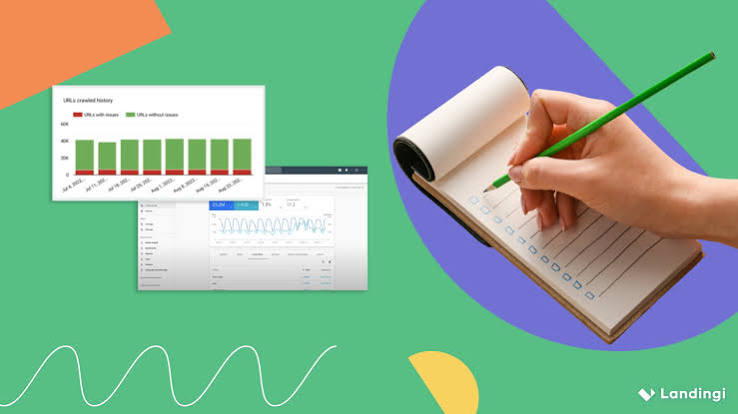
Bing Webmaster Tools is the first place I would look because it shows submitted sitemaps, indexed pages, crawl activity, and inspection results in one place. From there, I would use a crawler such as Screaming Frog or Sitebulb to compare the live site against the indexable set.
Use this workflow:
- Export the XML sitemap URLs and remove any URL that is intentionally excluded, such as thank-you pages or private account pages.
- Check how many sitemap URLs return 200, 301, 404, or noindex.
- Compare the sitemap set with Bing’s indexed pages report.
- Search for site:
example.comin Bing only as a rough spot check, not as a final source of truth. - Inspect a sample of pages that are indexed but should not be, such as filtered faceted URLs or internal search pages.
- Inspect a sample of pages that should be indexed but are missing.
- Track whether missing pages have weak internal links, canonical mismatches, or duplicate content nearby.
If Bing is indexing the wrong URLs, the fix is rarely “submit the sitemap again.” That can help, but only if the sitemap itself is clean. A sitemap with 15,000 URLs that includes redirecting pages, duplicate parameters, and noindexed entries sends Bing mixed signals. I would treat that as a maintenance issue, not an indexation strategy; if the pattern is hard to untangle, consult a technical SEO professional and compare it with Bing’s sitemap guidelines.
One useful standard: only include canonical, indexable, live URLs in the sitemap. If a URL is not one you would want a user to land on, it usually does not belong there.
Quick check: Bing’s index contains parameter pages, old URLs, or duplicates? Your sitemap and canonicals are probably sending the wrong message.
Which on-page signals matter most for Bing?
Bing cares most about clear titles, matching headings, visible copy, and strong internal context. A page can be technically fine and still underperform, so the on-page audit should focus on whether the topic is obvious within the first screen and consistent across the page. For a Bing SEO audit checklist, that clarity matters just as much as crawlability.
I would check these items in this order:
- Make sure the title tag matches the real topic, not a slogan or brand line alone.
- Check the H1 for alignment with the title; it should say the same thing in plain language.
- Review the first 100 to 150 words for topic clarity.
- Scan subheads for related terms and useful structure, not keyword stuffing.
- Check image alt text where the image matters to understanding, not where decorative images are being forced into descriptions.
- Look at internal links pointing to the page and the anchor text they use.
- Make sure the page answers the query better than a generic category page would.
Bing is usually more forgiving than some other search engines about exact-match phrasing, but that does not mean you can be vague. The page should not read “Improve Your Online Visibility” when the topic is “Bing SEO audit checklist.” That kind of title makes the topic harder to parse, not easier. Bing’s page quality guidance and Google’s title-link documentation both reward clearer topic signals.
I would also watch for over-optimization. A page stuffed with the phrase “Bing SEO audit checklist” in every subheading looks manufactured. A cleaner page uses variations naturally: technical issues, indexation problems, canonical tags, redirects, and on-page relevance.
Honestly, a perfect title tag will not save weak content depth. If the page only repeats the query in different words, Bing still has little reason to surface it.
Quick check: a stranger could not tell the page topic from the title, H1, and opening paragraph in 10 seconds? The on-page work is not done.
When standard Bing SEO advice is wrong
Standard advice breaks when it ignores your site type, your CMS, or your crawl budget. For an e-commerce catalog, a publisher archive, or a faceted search system, the “just create better content” advice misses the real bottleneck.
Here are the cases where I would change course:
- A site is e-commerce with faceted navigation. Then control parameter URLs first. Noindex rules alone are not enough if crawl paths keep generating endless combinations.
- A site is JavaScript-heavy. Then test server rendering and renderability in Bing Webmaster Tools. A page that looks fine in Chrome may still be hard for Bing to process if key content appears too late.
- A site is multilingual. Then check language and regional URL structure. Mixed signals between translations can create duplicate or near-duplicate indexation.
- A site has many near-identical service pages. Then improve differentiation at the template level. One rewritten paragraph on each page is usually too little.
- A site recently migrated. Then redirects, canonicals, and sitemap consistency matter more than fresh content. Migration errors can bury good pages for months.
- A site is tiny and local. Then obsessing over crawl waste is less useful than fixing titles, contact details, and business relevance.
What changes in these situations is the order of operations. For a large store, I would address crawl control before content polishing. For a small brochure site, I would do the opposite and keep the technical work tight and simple.
Quick check: your site generates many URLs from filters, scripts, translations, or old migrations? The normal “content first” advice is probably upside down.
Bing SEO audit checklist by page type
If you audit every page the same way, you will waste time. The right checklist depends on whether you are looking at a homepage, a category page, a product page, or an article.
| Situation | Best Path | Why Other Options Fail |
|---|---|---|
| Homepage | Confirm brand title, clear purpose, strong internal links, and clean canonical | Treating it like a blog post misses navigation and trust signals |
| Category or collection page | Add descriptive copy, indexable filters control, and strong links to subpages | Thin category pages usually need structure, not just more keywords |
| Product page | Check unique descriptions, availability signals, canonicals, and structured data | Copying manufacturer text creates duplicate content risk |
| Blog or article | Tighten topic focus, headings, and supporting internal links | A good article with poor internal context still struggles |
For a homepage, I would expect a concise title, a clear H1, and links to the main sections of the site. For category pages, I would want a few hundred words of useful introductory copy if the page is meant to rank, but only if that copy helps a user choose. For product pages, unique descriptions matter more than flowery prose. For articles, the first paragraph and heading structure should make the topic obvious without forcing the reader to infer it.
A page-type audit also helps you avoid false positives. A category page with a lower word count than a blog post is not automatically weak. A product page with a short description is not automatically thin if it has unique specs, images, availability, and useful internal links. Bing SEO audit checklist work gets easier when each template is judged on its own job.
Quick check: the same checklist is being applied to every template? You are probably judging at least one page type by the wrong standard.
Edge cases that break the normal advice
The normal advice breaks when the page is intentionally excluded, temporarily unstable, or structurally odd. If any of these apply, the fix changes.
-
Situation: a page is noindexed on purpose.
What changes: indexation is not the goal, so Bing should crawl it only as needed.
What to do instead: keep it accessible if internal links rely on it, but do not force it into sitemaps or treat non-indexing as a failure. Consult a technical SEO professional if you are unsure whether the page should remain discoverable. -
Situation: a page is canonicalized to another URL.
What changes: Bing is being told the canonical target is the preferred page.
What to do instead: audit the target page, not the duplicate, and make sure internal links also point to the canonical version. -
Situation: the site uses filter pages for shopping or listings.
What changes: too many combinations can create crawl bloat.
What to do instead: restrict indexation to a curated set of filter URLs and noindex or block the rest, depending on how the site is built. -
Situation: the page depends on JavaScript for main content.
What changes: renderability becomes part of the indexation problem.
What to do instead: check the rendered HTML, not just the source, and move critical content into server-rendered markup if possible. -
Situation: a recently migrated URL drops out of the index.
What changes: migration signals are still settling, and Bing may be following redirects or reprocessing canonicals.
What to do instead: verify the redirect map, sitemap, and internal links before touching on-page copy. -
Situation: the page is local or niche and has little search volume.
What changes: the audit should focus on visibility basics, not broad keyword goals.
What to do instead: check the homepage, location signals, titles, and internal links before chasing traffic for low-volume phrases.
Quick check: the page is excluded on purpose? The audit should verify intent, not force indexation.
Common mistakes that waste time
If a Bing SEO audit checklist is used well, it saves time. If it is used badly, it turns into busywork.
The most common mistakes are simple:
- checking titles before crawlability;
- rewriting content before confirming indexation;
- treating one broken page as proof of a sitewide problem;
- assuming a sitemap submission fixes everything;
- ignoring internal links that send Bing to the wrong URL.
A cleaner audit sequence prevents most of that. Technical health comes first, then indexation, then the page-level fixes that can actually move rankings. According to Bing’s webmaster documentation and Google’s search documentation, the best results usually come from making the preferred version easy to crawl, understand, and trust.
Quick check: you do not know whether the issue is crawl, index, or relevance? Stop and identify the layer first.
A simple 30-minute Bing SEO audit workflow
If you only have half an hour, you can still find useful problems.
- Check the homepage, one category page, one article, and one product page in Bing Webmaster Tools.
- Confirm each URL returns 200, is indexable, and has the right canonical.
- Compare the page title, H1, and first paragraph for topic match.
- Search Bing for the exact URL and a site:
example.comspot check. - Review internal links to see whether the page is receiving any meaningful context.
- Write down whether the fix belongs to technical, indexation, or on-page work.
That is usually enough to identify the next move without overcomplicating the process. If the same problem shows up across multiple templates, stop auditing pages one by one and fix the template.
Quick check: the issue takes more than one page to reveal itself? Think in templates rather than individual URLs.
Final check before you hand the audit off
Before you hand the work to a developer, editor, or consultant, make sure the audit answers three questions:
- Can Bing crawl the page?
- Should Bing index the page?
- Does the page clearly explain its topic?
If the answer to any of those is “no,” the fix should be obvious. If the answer is “maybe,” that is usually the moment to bring in a specialist.
Drafted with AI; not yet reviewed by a person.